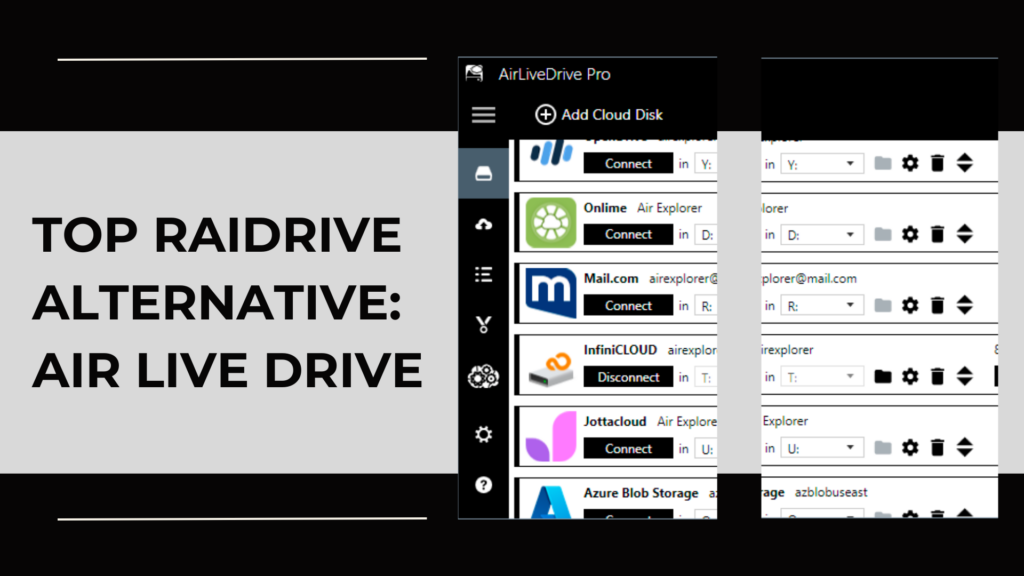
Mounting cloud storage as local drives has become essential for professionals, remote workers, and anyone who manages large amounts of data online. Tools like RaiDrive have been popular for this purpose, but many users eventually look for a more stable, flexible, and feature‑rich alternative.
If you’re searching for the best RaiDrive replacement, Air Live Drive stands out as the top choice thanks to its reliability, wide cloud compatibility, and smooth user experience.

This guide explains why so many users switch from RaiDrive to Air Live Drive and how it can transform the way you work with your cloud files.
Why users look for a RaiDrive alternative
RaiDrive is a well‑known tool, but it comes with limitations that lead many users to explore other options. Common reasons include:
- Feature limitations in the free version
- Stability issues or unexpected disconnections
- Restricted support for certain cloud services
- Performance problems with large files or complex folder structures
- Lack of advanced features such as file locking or encrypted drives
When you rely on cloud drives for daily work, you need a tool that is fast, stable, and secure. That’s where Air Live Drive excels.
What makes Air Live Drive a strong RaiDrive alternative
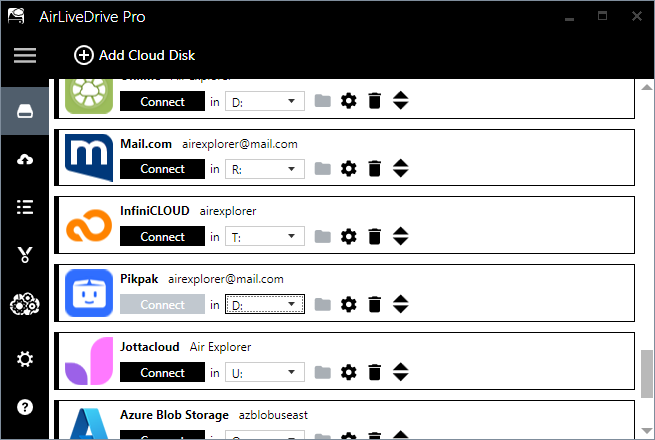
Air Live Drive is designed to mount your cloud accounts as local drives on your computer, allowing you to work directly with online files without syncing them. Its strengths include:
- Stable and secure cloud mounting
- Smooth integration with Windows Explorer
- No local storage required
- Optimized performance for large cloud accounts
It’s a powerful, modern solution for anyone who needs reliable cloud access.
Supported cloud services: Air Live Drive vs RaiDrive
One of the biggest advantages of Air Live Drive is its wide compatibility with major cloud providers. Here’s a quick comparison:
Cloud compatibility & Feature comparison
| Feature / Cloud Service | Air Live Drive | RaiDrive |
|---|---|---|
| Supported services | Google Drive, OneDrive, Dropbox, WebDAV, FTP, SFTP, Box, Yandex, etc. | Similar range: Google Drive, OneDrive, Dropbox, MEGA, Amazon S3, WebDAV, FTP, etc. |
| Multiple accounts per cloud | ✔ Yes | ✔ Limited |
| File caching | ✔ Basic | ✖ Optional smart caching for faster access |
| Integration with Windows Explorer | ✔ Yes | ✖ Yes, with right-click options |
| No local sync required | ✔ Yes | ✔ Yes |
Air Live Drive clearly offers broader compatibility and more advanced features, making it the stronger choice for multi‑cloud workflows.
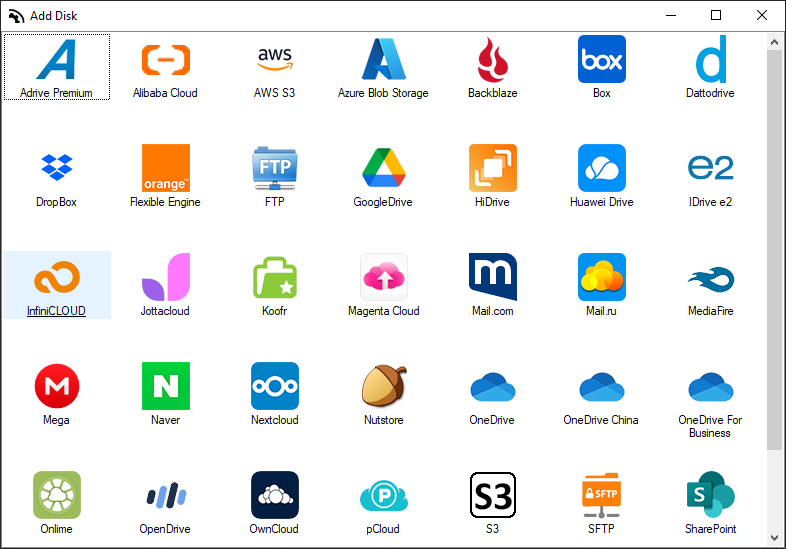
Key features that make Air Live Drive the best RaiDrive alternative
- Mount clouds as local drives: Work directly with your cloud files as if they were stored on your computer. No syncing, no duplicates, no wasted disk space.
- Multiple accounts per cloud: Add several Google Drive, OneDrive, Dropbox, or other cloud accounts at the same time, perfect for users with personal and business accounts.
- Background uploads and downloads: Continue working while Air Live Drive handles transfers in the background.
Performance and stability: Why Air Live Drive stands out
Air Live Drive is optimized for speed and reliability:
- Faster access to cloud files
- Smooth navigation even in large folders
- Better handling of big files
- Stable connections across all supported clouds
Whether you’re editing documents, managing media libraries, or working with large datasets, Air Live Drive keeps everything running smoothly.
Ease of use: A more intuitive experience than RaiDrive
Air Live Drive is designed for simplicity:
- Clean, modern interface
- Quick setup
- Easy cloud authentication
- Seamless integration with Windows Explorer
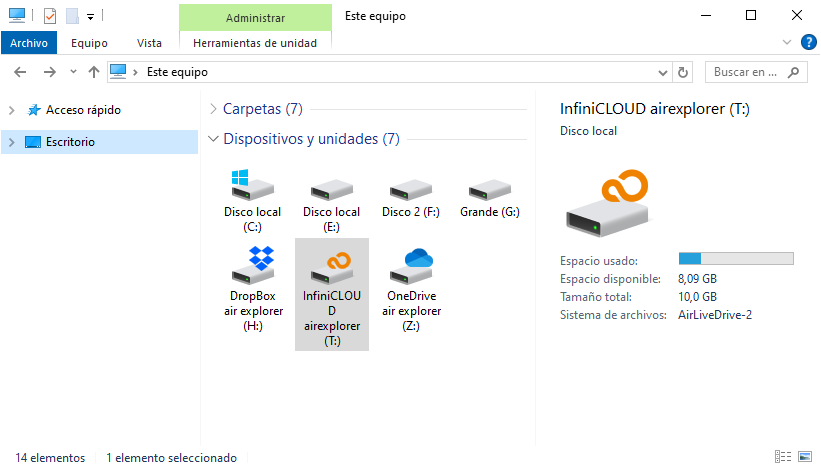
Even non‑technical users can mount and manage cloud drives effortlessly.
Use cases where Air Live Drive excels
Air Live Drive is ideal for:
- Professionals managing large cloud libraries
- Users with multiple cloud accounts
- Remote workers accessing cloud files daily
- Creatives working with photos, videos, or audio
- Businesses needing secure, stable cloud mounting
If your workflow depends on cloud storage, Air Live Drive gives you the reliability and flexibility you need.
How to switch from RaiDrive to Air Live Drive
Switching is simple:
- Download and install Air Live Drive
- Add your cloud accounts (Google Drive, OneDrive, Dropbox, etc.)
- Mount them as local drives
- Start working directly from the cloud, no syncing required
There’s no complex setup or migration process.
Conclusion
If you’re looking for the best RaiDrive alternative, Air Live Drive is the clear winner. With broader cloud compatibility, better performance, advanced features and a more intuitive interface, it offers everything you need to work efficiently with your cloud files.
Whether you manage multiple cloud accounts, work remotely, or simply want a more stable and powerful tool, Air Live Drive is the smarter choice.
You can check more information about more features here:
-Turn Dropbox into a virtual drive
-Access multiple cloud accounts as local disks easily
-Manage and edit cloud files without syncing
