
How to Mount Apple iCloud on Windows
July 19, 2026
If you own an iPhone, iPad, or Mac but work daily on a Windows PC, you’ve probably run into a frustrating wall: Apple’s iCloud Drive simply doesn’t play nice with Windows. While Apple offers an official iCloud for Windows app, it’s clunky, sync-dependent, and often leaves users wondering where their files actually are.
The Problem: iCloud Wasn’t Built for Windows
iCloud Drive is Apple’s cloud storage service, deeply integrated into macOS and iOS. On a Mac, it behaves like just another folder in Finder. On Windows, though, the experience is very different.
The official iCloud for Windows app requires a full synchronization process. This means:
- Files get downloaded and duplicated onto your local hard drive, eating up valuable disk space.
- Large libraries (photos, videos, documents) can take hours or even days to sync completely.
- Any change you make locally needs to sync back to Apple’s servers, creating potential conflicts and version confusion.
- The app itself is known for bugs, slow performance, and sudden disconnections.
- If you manage multiple Apple IDs or need occasional access, syncing everything is overkill and impractical.

For users who simply want to open a document, drag a photo into an editing program, or check a file stored in iCloud, this heavy sync-based approach feels like using a sledgehammer to crack a nut.
The Solution: Air Live Drive Mounts iCloud as a Local Disk
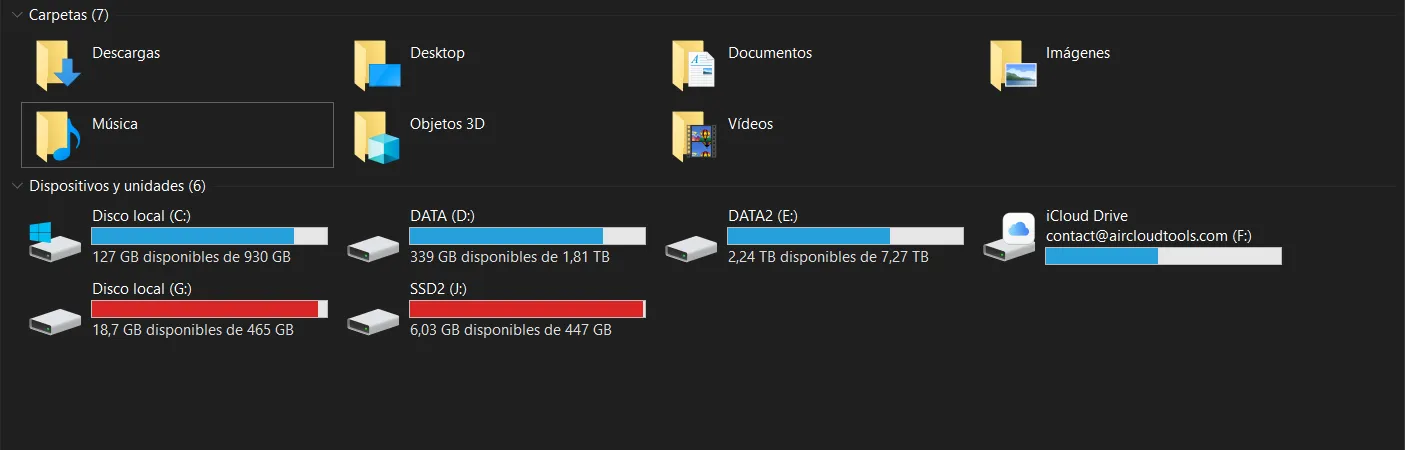
This is exactly the problem Air Live Drive was built to solve. Instead of syncing your entire iCloud Drive to your PC, Air Live Drive mounts your iCloud account directly as a virtual disk unit in Windows Explorer, just like a USB drive or an internal hard disk.
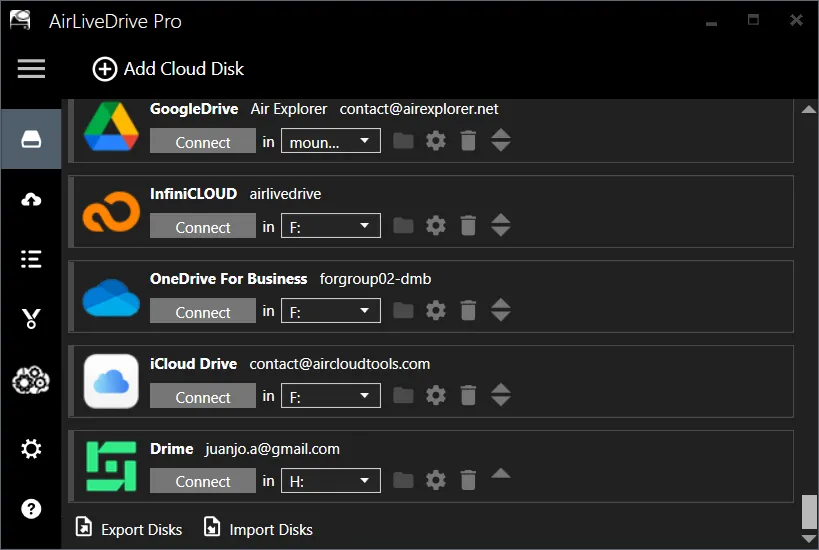
Here’s what that means in practice:
- Your iCloud Drive appears as its own drive letter (e.g., I:I:I:) in “This PC.”
- You can open, edit, and save files directly from iCloud using any Windows program, Word, Photoshop, VLC, whatever you need, without downloading the entire library first.
- Files stay in the cloud until you actually need them. Only the specific file you open gets streamed temporarily, so your local disk space stays free.
- There’s no background syncing process eating your bandwidth or CPU.
- Changes save straight back to iCloud, with no duplicate copies cluttering your system.
Setting it up is straightforward: install Air Live Drive, add your iCloud account credentials, and within moments your iCloud Drive shows up as a mounted unit ready to use, no waiting for a sync bar to finish.
When Would You Need This?
This solution is particularly valuable in several everyday scenarios:
- Switching between Mac and Windows. If you use a Mac at home and a Windows laptop at work (or vice versa), mounting iCloud on Windows lets you access the same files seamlessly without maintaining duplicate copies on both systems.
- Managing photos and videos from an iPhone. Instead of exporting or syncing your entire Camera Roll backup, you can browse and open specific iCloud Photos directly from Windows Explorer.
- Limited disk space. Users with smaller SSDs (common on ultrabooks) benefit enormously from not having to store a full local copy of their iCloud library.
- Occasional access needs. If you only need to check a document or two from iCloud once in a while, there’s no reason to run a constant sync service in the background.
- IT and business environments. Companies with mixed device fleets (Macs and Windows PCs) can give employees quick, space-efficient access to shared iCloud folders without complex sync policies.
- Multiple cloud accounts. If you already juggle Google Drive, Dropbox, OneDrive, and iCloud, Air Live Drive lets you mount all of them as separate drives simultaneously, keeping everything organized without any of them consuming local storage.

Why This Matters
The core value here comes down to efficiency and simplicity. Air Live Drive’s approach means you interact with your iCloud files exactly as if they were sitting on your hard drive, but without the storage cost, sync delays, or version conflicts that come with traditional syncing tools.
For Windows users who depend on iCloud content but don’t want to sacrifice disk space or deal with buggy sync software, mounting iCloud Drive as a local unit through Air Live Drive offers a cleaner, faster, and more reliable alternative. It’s the kind of solution that quietly fixes an everyday annoyance, letting you focus on your work instead of managing files.
You can check more information here:
-Optimize your workflow: Real-time file management with PikPak
-Infincloud as a Windows drive
-Mount Azure Blob Storage as a drive in your computer