Why turn Dropbox into a virtual drive
Cloud‑based workflows have become essential for both personal and professional productivity. As more users rely on Dropbox to store documents, media, and project files, the need for faster, more direct access to cloud data continues to grow. However, the traditional Dropbox sync client has limitations: it consumes local storage, can slow down your system during synchronization, and often duplicates files across devices.
This is where Air Live Drive becomes a game‑changer. Instead of syncing files to your computer, Air Live Drive mounts Dropbox as a real local drive, allowing you to work with your cloud files as if they were stored on a physical disk, without downloading them.
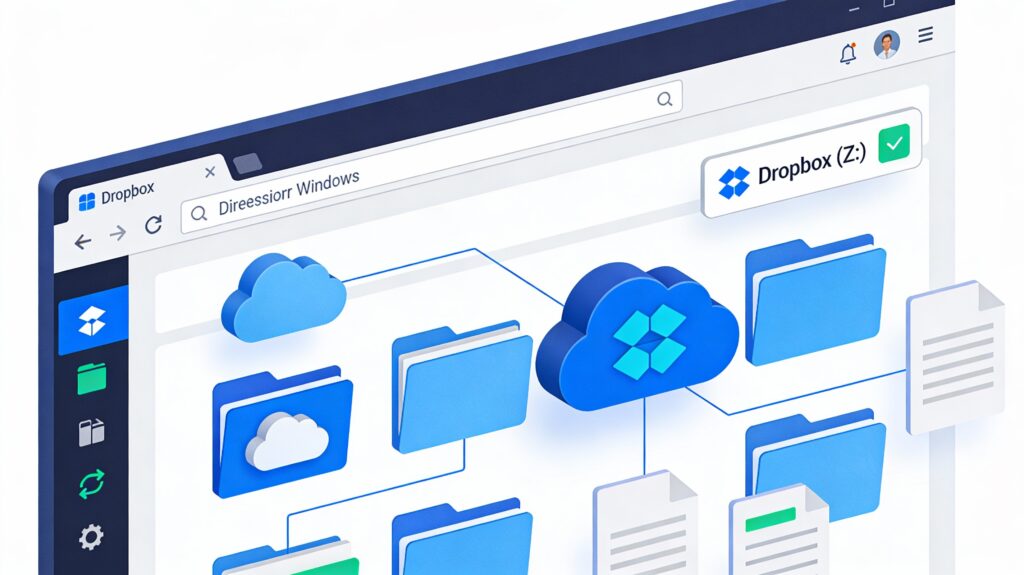
In this article, you’ll learn exactly how to turn Dropbox into a virtual drive using Air Live Drive and how this setup can dramatically improve your cloud workflow.
What it means to use Dropbox as a virtual drive
A virtual drive is a cloud storage account mounted on your computer as if it were a local hard drive. Unlike sync clients, which download files to your device, a virtual drive lets you:
- Access files on demand
- Stream content directly from the cloud
- Open, edit, and save files without storing them locally
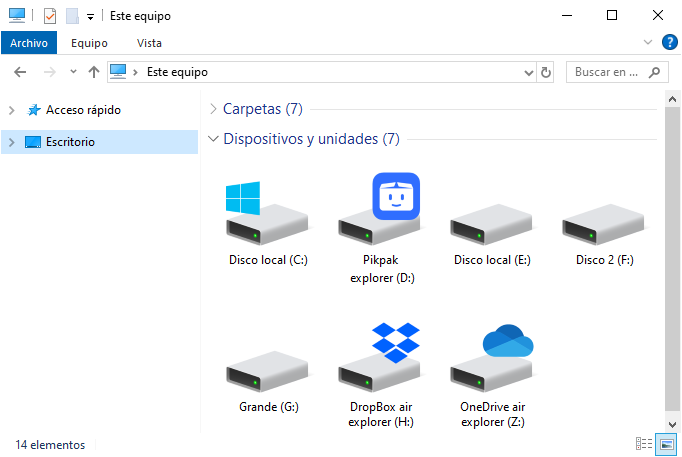
How mounting works
When Dropbox is mounted as a virtual drive:
- Files appear in File Explorer (Windows).
- You can browse folders instantly.
- Files load only when you open them.
Benefits of using Dropbox as a virtual drive
- Zero storage usage: Perfect for laptops with limited space.
- Faster workflows: No waiting for sync operations.
- Multi‑cloud convenience: Manage several cloud accounts without switching apps.
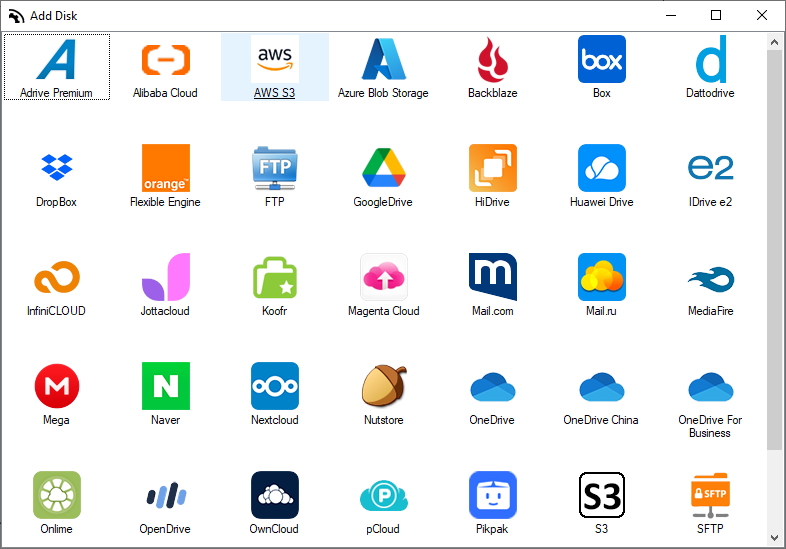
This approach is especially useful for users who work with multiple Dropbox accounts or need quick access to large cloud‑based projects.
Why Air live drive is the best tool to mount Dropbox
Air Live Drive is a desktop application designed to mount cloud storage services as local drives. It supports Dropbox along with dozens of other cloud providers, making it one of the most flexible tools for cloud‑based workflows.
Key advantages over Dropbox’s native sync client
- No local storage consumption: Files stay in the cloud
- No duplicated files: Avoid unnecessary copies on your device
- Direct editing: Open and save files directly in Dropbox
Air Live Drive gives you the speed of local storage with the flexibility of the cloud, without the drawbacks of traditional sync tools.
How to turn Dropbox into a virtual drive with Air Live Drive (Step‑by‑step)
- Download and install Air Live Drive: Visit the official website and install the application on your Windows.
- Add your Dropbox account: Open Air Live Drive and add your Dropbox account.
- Assign a drive letter to Dropbox: Choose a drive letter (e.g., D:, E:) to represent your Dropbox storage.
- Mount the drive: Click Connect to turn Dropbox into a virtual drive. It will now appear in File Explorer like any other disk.
- Work directly with your Dropbox files: You can now open files, edit documents, move folders, save changes,…
All operations happen directly in the cloud, without syncing or downloading.
Use cases: What you can do with Dropbox as a virtual drive
- Manage multiple Dropbox accounts: Air Live Drive lets you mount several Dropbox accounts at once.
- Stream media files: Play videos, music, or presentations directly from the cloud.
- Expand storage on low‑capacity laptops: Use Dropbox as external storage when your device has limited space.
- Improve team collaboration: Access shared folders instantly without waiting for sync operations.
Conclusion
Turning Dropbox into a virtual drive is one of the most efficient ways to save local storage, speed up your workflow, and simplify cloud file management. With Air Live Drive, you can mount Dropbox as a real local drive, work directly with your cloud files, and eliminate the limitations of traditional sync clients.
Download Air Live Drive today and start using Dropbox as a virtual drive to boost your productivity and streamline your cloud‑based workflow.
You can check more information about more features here:
-Access multiple cloud accounts as local disks easily
-Manage and edit cloud files without syncing
-Mount Google Drive as a Windows drive – Step by step guide
