
Air Live Drive for Mac: work with cloud storage directly in Finder
September 16, 2026
For many people, cloud storage is where work already lives, but not where work feels easiest. A project may be in Google Drive, a client folder in Dropbox, an archive in S3-compatible storage and a shared team library in OneDrive. On a Mac, moving among browser tabs, provider apps and download folders can turn a simple task, opening a document, changing it and sending it on, into a series of interruptions.
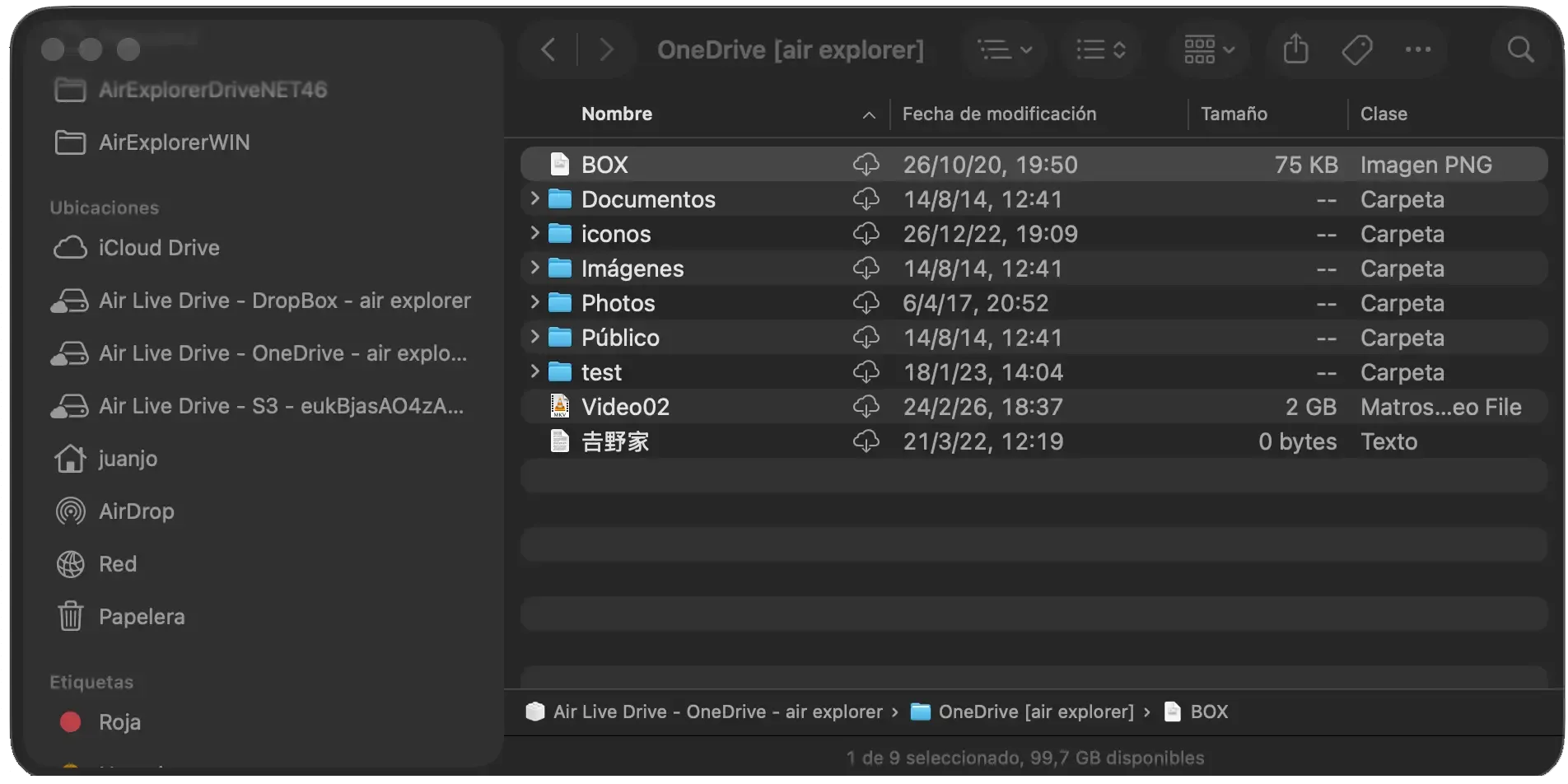
Air Live Drive for Mac is designed to remove that detour. It makes connected cloud accounts available from Finder, the place where Mac users already browse folders, drag files, rename documents and open their usual applications. The result is not a separate cloud workspace to learn. It is a more direct path to the files you already use.
The same practical workflow as Windows, made native to macOS
If you have used Air Live Drive on Windows, the logic on a Mac will feel familiar. Add a cloud account, complete the provider’s sign-in process, connect the drive and browse it in your file manager. On Windows that destination is File Explorer; on macOS it is Finder. In both cases, the cloud becomes part of the desktop workflow rather than a website you need to visit first.
That continuity matters when you work across devices or in a team that uses both operating systems. The actions do not change just because the computer does: organize files in folders, open them with your usual desktop software, save changes and let Air Live Drive send them back to the connected cloud. A Word document, Excel workbook, design file or project folder can stay where the team keeps it while remaining usable from the Mac applications that need it.
Less syncing, less waiting, less local clutter
Traditional sync tools have a role, especially when a complete offline copy is required. But synchronizing every folder from every account can consume SSD space, force decisions about which files to keep locally, and create another copy to organize and monitor.
Air Live Drive offers a different approach for the files you need directly. The account stays in the cloud while you reach it through Finder. Open the folders you need without first building a full mirror of an account on the Mac. This is useful for large archives, media libraries, client projects and shared repositories that are inconvenient to synchronize in full.
That does not mean files never use local storage. macOS can materialize a local copy when a file is opened or needed. The useful distinction is control: Finder can remove a downloaded copy to release space without removing it from the cloud. You keep access to the folder structure without assuming every item must stay permanently on the Mac.
One Finder window instead of many cloud interfaces
The benefit becomes clearest in ordinary work. Imagine a proposal that needs material from a shared OneDrive folder, brand assets from Dropbox and a reference archive elsewhere. Without a mounted drive, that may mean searching three services, checking three browser tabs and downloading items into a temporary folder. With Air Live Drive, open the accounts from Finder and use familiar actions: copy, move, preview, rename, create folders and open.
This also helps people who keep work and personal accounts separate. Give each connected account a clear name so the right destination is obvious before saving. Choose which drives connect automatically at sign-in, keep reference material read-only when appropriate and disconnect a drive when it is not needed. The goal is not to make all storage identical; it is to make it accessible through one consistent way of working.
Working directly does not have to mean working carelessly
Direct access is most useful when it fits a reliable routine. Keep the drive connected until an upload finishes, particularly after saving a large file. If a colleague changes a folder from another device or in the provider’s web interface, refresh Finder when you need to confirm the latest contents. For focused workspaces, use a chosen shared drive or cloud folder as the root, so Finder opens where the work begins rather than at the top of a large account.
Mac users should also allow Air Live Drive in System Settings > Login Items & Extensions > File Providers when macOS requests it. On macOS 13 or later, that permission lets Finder show the connected cloud drives. It is the small link between the application and the familiar Finder experience.

A Mac workflow that does not ask you to change how you work
For anyone moving between Windows and Mac, the benefit is simple: the operating system changes, but the workflow does not. Air Live Drive brings the same idea to both platforms, treating cloud accounts as accessible local locations while respecting the file manager each is built around. On a Mac, cloud storage can feel at home in Finder.
You can download Air Live Drive for Mac and find more setup details in the Air Live Drive Help.