
Looking for a Mountain Duck alternative?
When work files are split across Google Drive, OneDrive, Dropbox, an SFTP server, or a WebDAV folder, working in the browser soon becomes awkward. You need to switch tabs, download before editing, and remember which copy is current. Mountain Duck and Air Live Drive address this in a similar way: they make remote storage available from your file system, so you can open and save files with your usual desktop applications.
If you want a Mountain Duck-like way to access cloud storage from Windows File Explorer or macOS Finder, Air Live Drive is an alternative worth considering. Its most immediate difference is a free Basic edition, which lets you test your real workflow without being limited to a time-bound trial.
The shared goal: work in Explorer or Finder
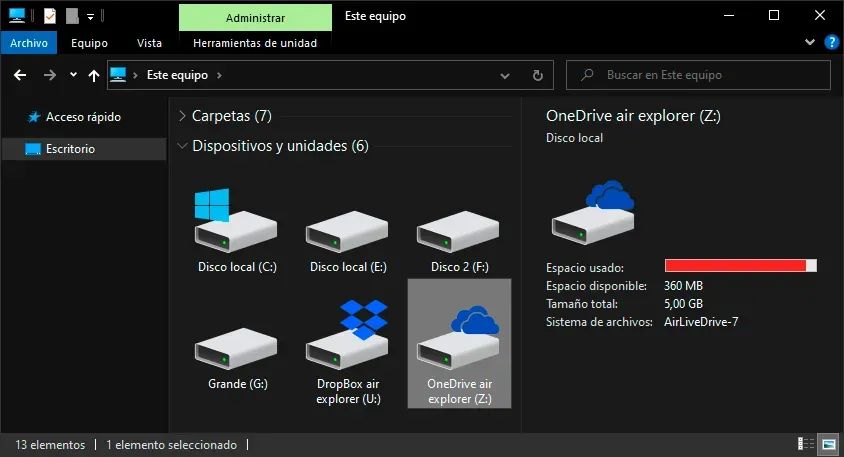
Air Live Drive open in Windows File Explorer
Air Live Drive open in Finder on macOS
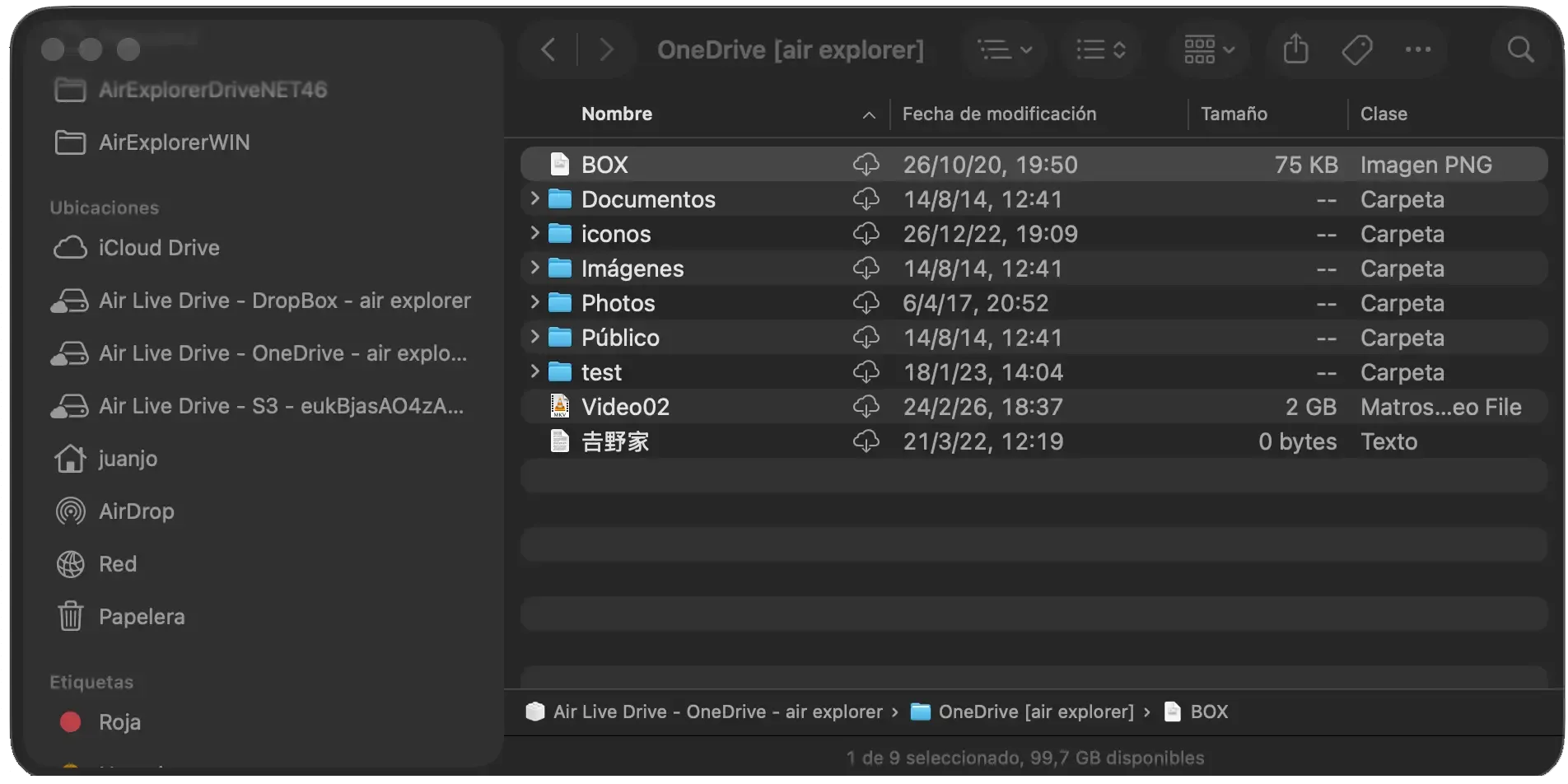
Both applications are available on Windows and macOS. You connect an account or server and it becomes a system location: a drive in Windows or a location in Finder on Mac. From there, you can browse folders, open a document in Word or Photoshop, save changes, and move files without opening every provider’s website.
Mountain Duck vs. Air Live Drive: key differences
The table summarizes features promoted by each vendor as of September 2026. Exact compatibility may vary by provider and protocol, so check it before moving an important workflow.
| Area | Mountain Duck | Air Live Drive |
|---|---|---|
| Platforms and access | Windows and macOS; mounts volumes in File Explorer and Finder. | Windows and macOS; each connected account appears as a drive in Explorer or Finder. |
| Clouds and servers | Google Drive, OneDrive, SharePoint, Dropbox, Box, FTP, SFTP, WebDAV, SMB, S3, Azure, Backblaze B2, Google Cloud Storage, OpenStack Swift, and more. | 40+ services, including Google Drive, OneDrive, Dropbox, MEGA, WebDAV, FTP, FTPS, SFTP, S3, Backblaze, Nextcloud, and SharePoint Online. |
| Local and offline files | Integrated mode uses Cloud Files in Windows and File Provider in macOS. It downloads files when opened and can keep selected files or folders offline. | Work without syncing an entire cloud. Windows has configurable caching; on macOS, Finder manages local downloads when needed. |
| Transfers | Syncs changes and uploads in the background, with status icons, an Activity panel, and history. | Handles uploads in the background and provides cache options to speed up repeat access. |
| Collaboration and security | File locking for supported WebDAV servers, custom versioning, S3 versions, and Cryptomator vaults. | Native integration provides actions such as sharing links, opening files in a browser, or streaming video; Pro adds startup and administrator passwords. |
| Licence model | 14-day trial followed by a per-user licence. | Free Basic: one drive per provider and up to three drives. Pro removes those limits. |
The table is not a benchmark or a claim that one product will suit everyone. Mountain Duck may be a better fit if Office-file locking is essential for shared work.
Air Live Drive can be a better match when you want to start for free, bring many accounts into a simple view, and avoid filling an internal disk with a full cloud copy. Basic allows one account for each provider and up to three drives in total. That can cover a straightforward combination of Google Drive, OneDrive, and Dropbox; if you need many accounts from one provider, unlimited drives, or administration controls, you can move to Pro.
Streaming access or sync: choose for your routine
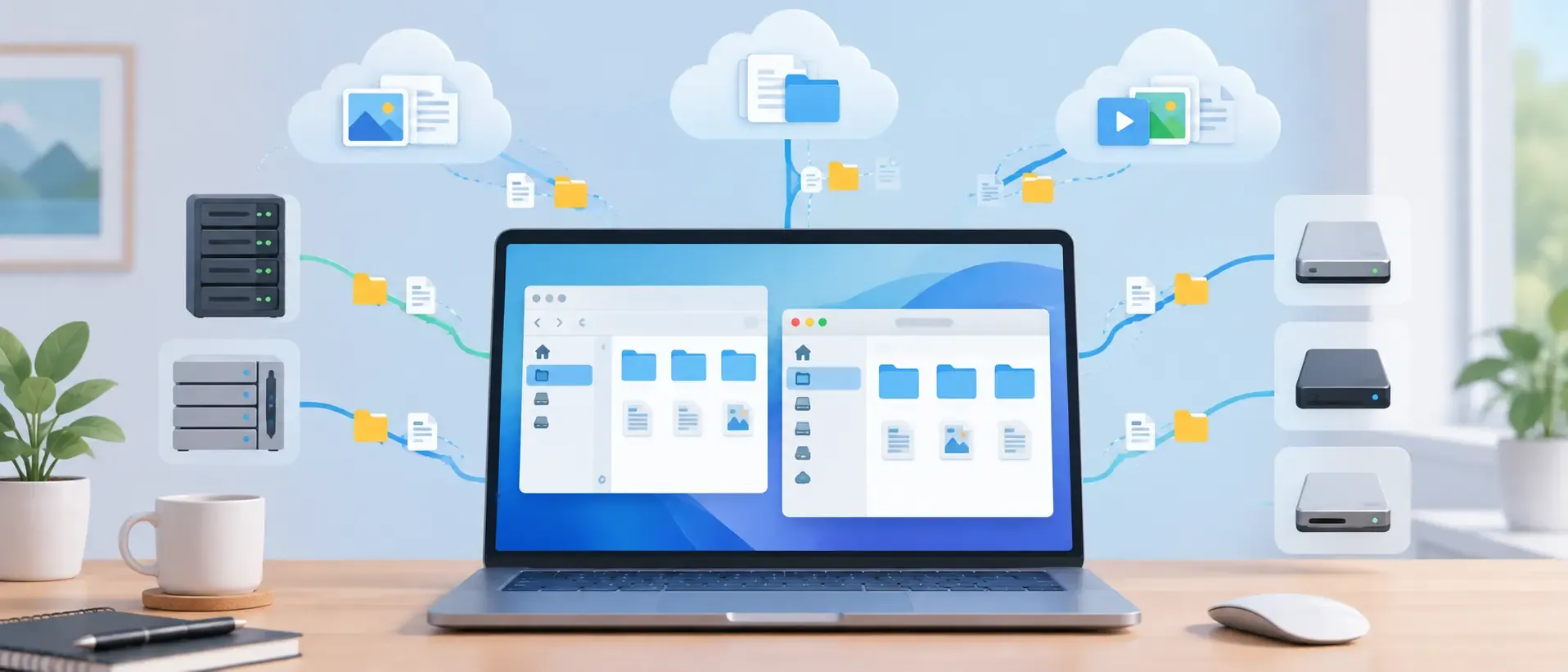
Mounting a cloud as a drive does not mean downloading a complete copy. Air Live Drive accesses cloud files when needed, opens them in familiar applications, and saves back to remote storage, avoiding duplicated libraries. This depends on an internet connection and the provider; caching helps with frequent files. If you regularly work offline, Mountain Duck’s offline-availability options may matter more.
Try Air Live Drive in four steps
Getting started takes only a few minutes:
- Download Air Live Drive for Windows or macOS.
- Select Add cloud disk and choose a provider or protocol.
- Sign in or enter the server details, name the drive, and connect it.
- Open it in Explorer or Finder, then test a real task: open, edit, and save a file.
The Help guide explains how to enable the Finder extension and tailor each drive. Before moving important data, test a non-critical folder and confirm that changes arrive correctly in the original service.
A free alternative for essential needs
Air Live Drive does not aim to be identical to Mountain Duck. It is a solid alternative if you want to access cloud accounts and servers as local drives in Explorer or Finder, and prefer a free edition for essential needs. If you also require sophisticated offline synchronization, locking, or encryption, compare those requirements carefully before deciding. That way, you choose the tool that simplifies your file workflow instead of adding another layer to manage.