
Can Claude or ChatGPT work with your iCloud Drive files on Windows? Yes. Mount iCloud Drive as a Windows drive with Air Live Drive, then add a folder from that drive to a task in Claude Desktop or to a local project in ChatGPT with Codex. The AI reads and edits the files, and Air Live Drive keeps them in iCloud without syncing your whole account to the PC.
In short
- What you need: Air Live Drive (free for up to three drives), your Apple ID, and Claude Desktop or the ChatGPT desktop app for Windows.
- How long it takes: about five minutes.
- What changes: iCloud Drive appears in This PC with its own drive letter, and both apps can open it like any other folder.
Connector or folder: why a drive works with any AI
Claude and ChatGPT reach cloud files in two ways. Connectors are official integrations with a service. They are mainly for searching and reading documents from the chat, and which ones exist depends on the app, the plan and the moment. Local folders are what Claude Cowork, Claude Code and Codex use in their desktop apps. There the AI reads, creates and edits files of any type, as in any folder on your PC.
Air Live Drive turns iCloud Drive into one of those folders. That’s why it doesn’t depend on a connector existing, and why it still makes sense if one appears: the AI can write to the folder, you decide whether it’s read-only, and the same method works for Google Drive, OneDrive, Dropbox or MEGA.
Step 1: Mount iCloud Drive as a Windows drive
- Install Air Live Drive and open it.
- Click Add Cloud Disk and choose iCloud Drive.
- Sign in with your Apple ID and enter the verification code Apple sends to your devices.
- Pick a free drive letter and click Connect.
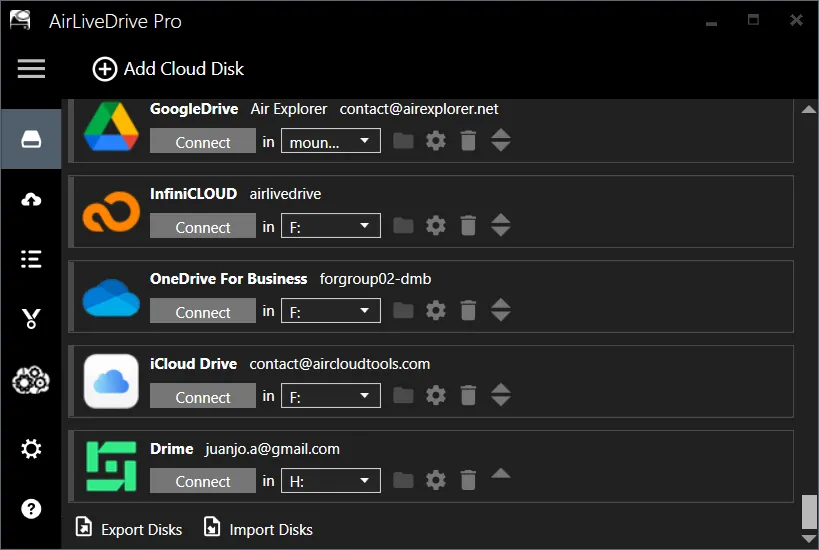
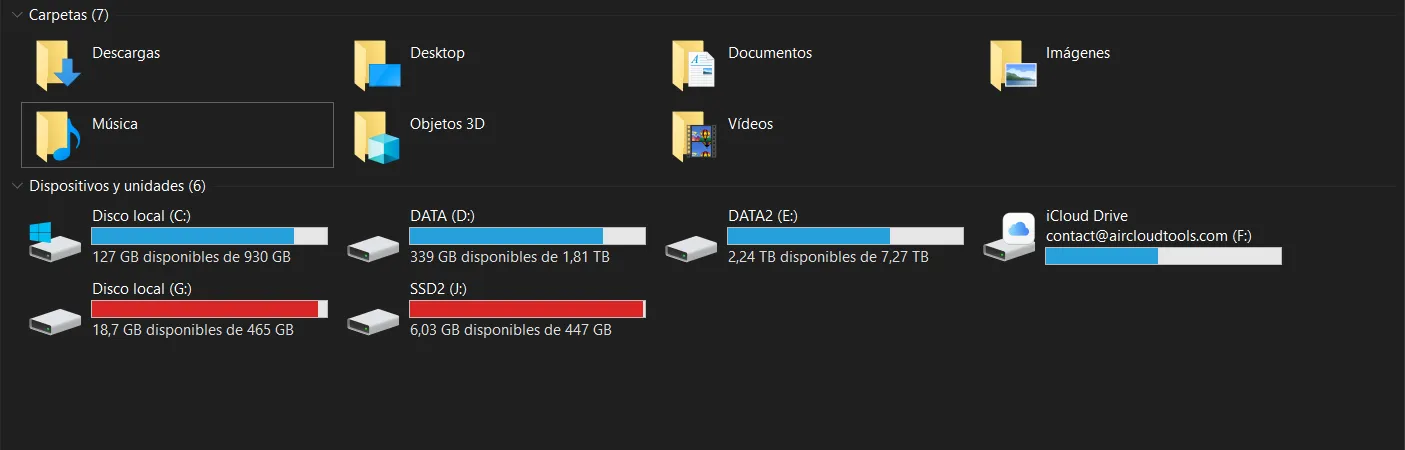
iCloud Drive now shows up in File Explorer next to your other drives. Files aren’t copied to your PC: each one is downloaded only when an app opens it. For the full setup, see how to mount Apple iCloud on Windows.
Step 2: Add an iCloud folder to Claude
In Claude Desktop, start a task in Cowork and click Project or folder → Add folder. In the folder picker, open This PC, double-click the iCloud Drive letter, go into the folder you need and click Select Folder.
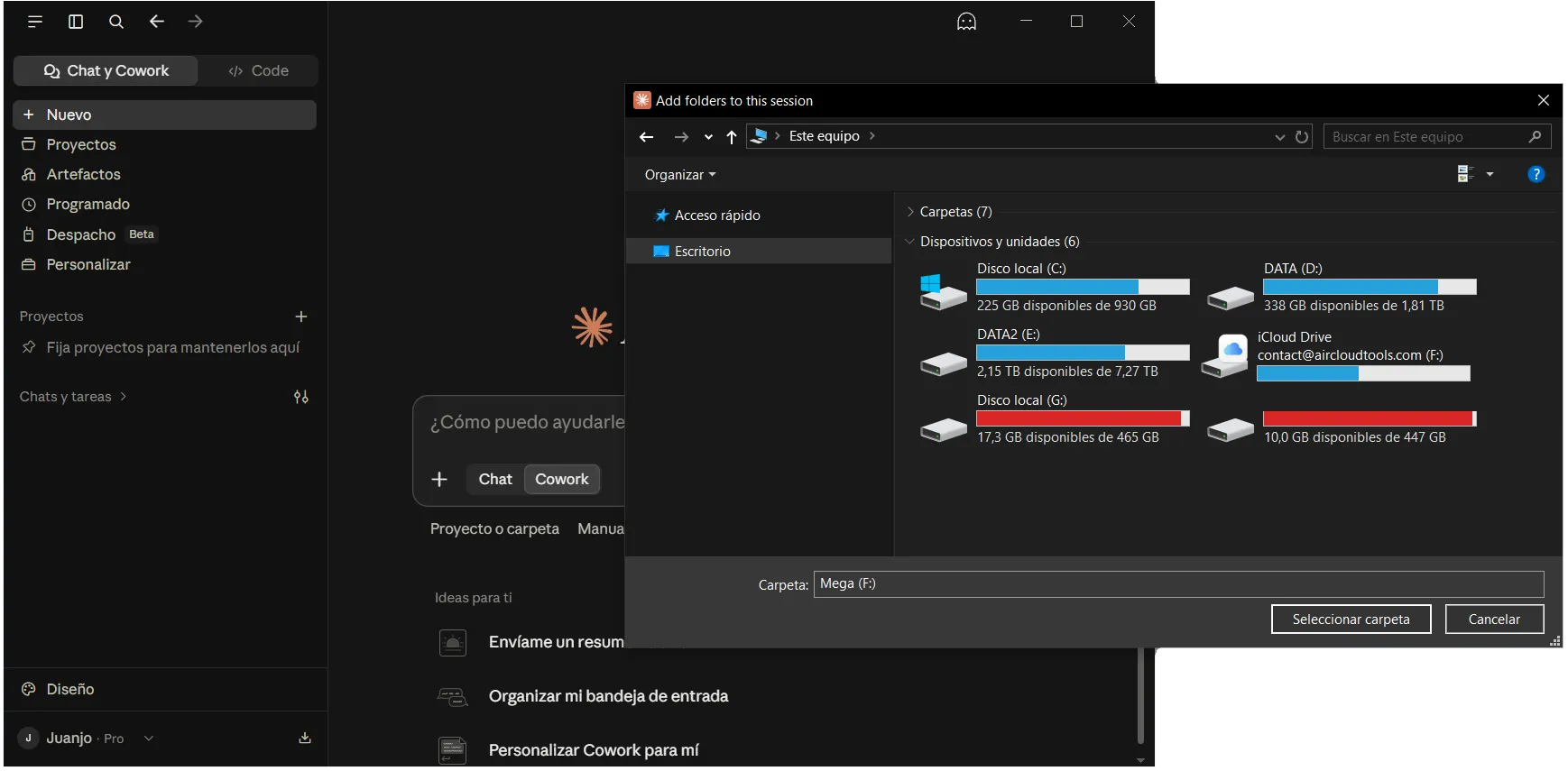
Start with a request that only reads, such as “Summarize the three most recent PDFs in this folder.” With Claude Code, open a terminal in the iCloud folder, for example F:\Work, and run claude. Every screenshot is in how to use Claude with cloud folders.
Step 3: Add it to ChatGPT with Codex
Open the ChatGPT desktop app, select Codex, then create or open a local project. Add the folder from the iCloud Drive letter as a project folder. Codex can read, create and edit files there, and Air Live Drive uploads each change to iCloud (full ChatGPT and Codex guide).
iCloud for Windows or Air Live Drive?
Apple’s free iCloud for Windows app also creates an iCloud Drive folder on your PC, and an AI can use it. The difference is in how it handles that folder:
| iCloud for Windows | Air Live Drive | |
|---|---|---|
| Where the files appear | A synchronized folder | Their own drive letter |
| Local copy | Each file you open or pin is downloaded to that folder | A cache of the files in use, with a size limit you choose |
| Accounts | One Apple ID | iCloud plus Google Drive, OneDrive, Dropbox, MEGA…; several Apple IDs with Pro |
| Read-only for the AI | No | Yes, an option for each drive |
If you only use iCloud, Apple’s app may be enough. A mounted drive gives you more control when the AI also needs other clouds or must not change anything.
Three precautions before you let an AI touch iCloud
- Give it only one folder. Use Mount a subfolder or a shared drive as the root folder so that the drive shows a single folder, not your whole iCloud Drive.
- Read-only when it only needs to read. Tick Mount as read only in the drive settings. Claude or Codex can then read the files but not delete or rewrite them.
- Wait for uploads. Before closing Air Live Drive or shutting down the PC, check that its upload queue is empty.
FAQ
What if Claude or ChatGPT has an iCloud connector?
Connectors change often and depend on your plan, so check each app's settings. Even if there is one, the drive is still useful when you want the AI to create or edit files, to work with other clouds too, or to only read.
Do I need this on a Mac?
No. On a Mac, iCloud Drive is already a folder in Finder, and Claude and ChatGPT can select it directly. This guide is for Windows.
Do I need iCloud for Windows installed?
No. Air Live Drive connects to iCloud with your Apple ID, so it works without Apple's app.
Is it free?
Air Live Drive is free for up to three drives, one per cloud service, so iCloud Drive fits in the free version. Claude Cowork and Codex depend on your Claude or ChatGPT plan.
Can the AI delete my iCloud files?
Only if the drive allows writing and you approve the action. Mount it as read only to prevent it, and limit the drive to the folder the task needs.