In the era of hybrid work and digital transformation, cloud storage has shifted from an option to the core of our professional activity. However, this advantage has brought a new challenge: data fragmentation. A modern professional splits their digital life between Google Drive for collaborative documents, OneDrive for the Office ecosystem, and Dropbox for heavy file sharing.
The result is an operating system saturated with sync apps that compete for resources, take up valuable SSD space, and slow down your computer’s boot time. Is there a way to unify this ecosystem without compromising performance? The answer is Air Live Drive.
1. The Three Pillars of Storage: Why Native Integration Matters
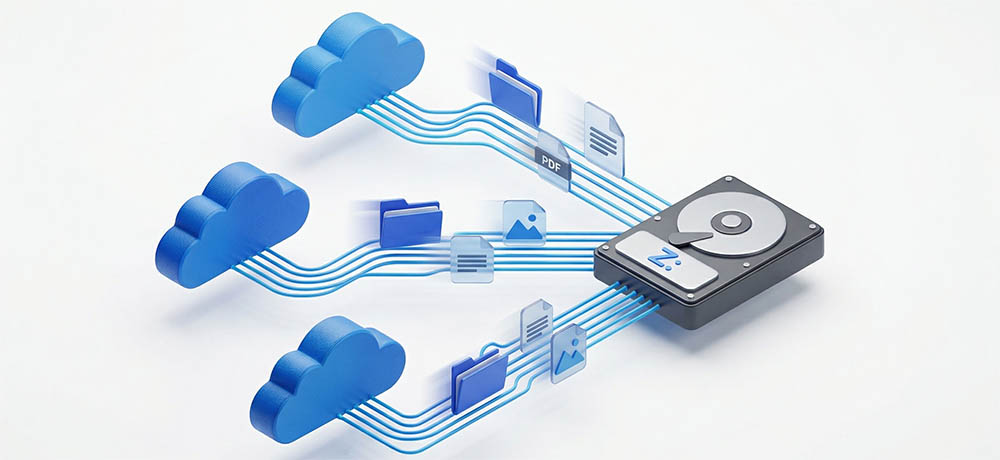
Air Live Drive’s ability to natively support Google Drive, OneDrive, and Dropbox is a strategic factor that redefines efficiency. Supporting these three services is not just about variety; it’s about professional standardization.
- Limitless Interoperability: By having these three clouds in File Explorer, you eliminate barriers between ecosystems. You can move an asset folder from Google Drive to a shared project in Dropbox with a simple “drag and drop,” removing the need to manually download the file and re-upload it.
- System Resource Savings: Official sync clients keep constant file scanning processes running. By integrating these clouds as virtual units with Air Live Drive, you close three heavy applications and replace them with a single lightweight process that only consumes resources when you access a file.
- Unified Workflow: Working with “the Big Three” directly in Windows allows any desktop software (like Adobe Premiere, AutoCAD, or Excel) to treat the cloud as a local physical disk.
2. Transforming the Way You Work: From “Sync” to “On-Demand”
The major shift in work methodology proposed by Air Live Drive is the move from traditional synchronization to On-Demand access.
In the traditional model, if you have 1 TB in the cloud, you need 1 TB on your local disk to sync it. With Air Live Drive, the concept evolves toward Zero Local Storage. Files reside on Google, Microsoft, or Dropbox servers and only appear on your computer as smart pointers.
How does this affect your daily routine?
- Direct Editing: You can open a 4K video hosted on Dropbox directly in your favorite player. Air Live Drive manages a small cache so playback is smooth without the 10GB file taking up permanent space on your SSD.
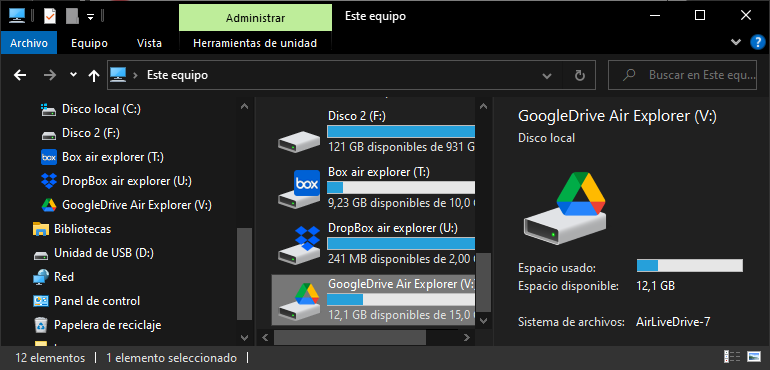
- Visual Organization: By assigning specific drive letters (G: for Google, O: for OneDrive, D: for Dropbox), your brain processes information faster. You know exactly where each asset is without navigating through mazes of sync subfolders.
3. Technical Optimization and Cache Management
One of the most powerful aspects of Air Live Drive is its technical customization to suit your internet connection. Through the disk configuration, you can adjust the cache profile.
If you work with numerous small files (like source code or text documents), you can set a longer directory list cache so that folder navigation is instantaneous. If you are a content creator, you can assign a larger cache size to ensure large files are read at the maximum speed your bandwidth allows.
4. Quick Implementation Guide
Transforming your computer into a multi-cloud workstation takes only four steps:
- Installation: Download and run the Air Live Drive installer. It’s a lightweight process that doesn’t add unnecessary startup tasks to Windows.
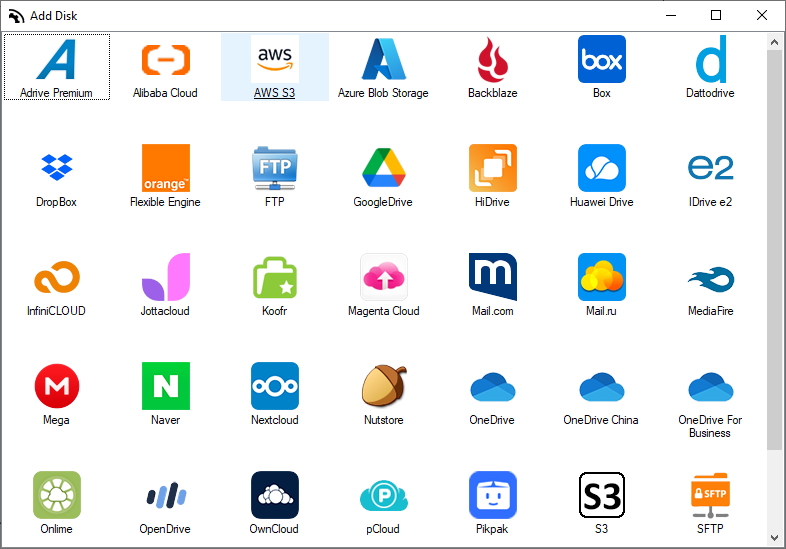
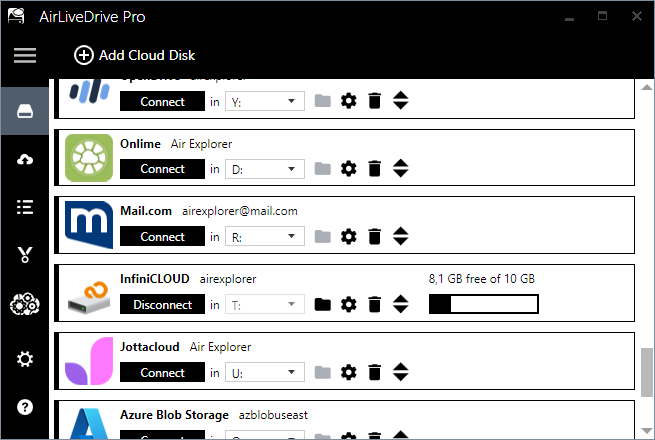
- Account Connection: Click “Add Cloud Disk.” You will see an extensive list where Google Drive, OneDrive, and Dropbox hold a privileged place. Sign in and authorize access securely.
- Drive Customization: Choose your preferred drive letter. This letter will remain constant every time you turn on your computer, ensuring your shortcuts and program paths always work.
- Immediate Use: Open your File Explorer (Windows + E), and you will see your clouds ready to work, showing the actual available space you have in each account.
5. Features for Professional Workflows
To maximize productivity, Air Live Drive includes tools designed for the corporate environment:
- Read-Only Mode: Ideal for when you share your computer or want to consult critical files without the risk of accidentally modifying or deleting them on the server.
- Background Uploads: When you save a heavy file, Air Live Drive allows you to keep working while it handles uploading the changes silently and efficiently.
Conclusion
Integrating Google Drive, OneDrive, and Dropbox into a single interface is not just about organization; it is a necessary evolution in data management. By eliminating the burden of syncing and centralizing access, Air Live Drive gives you back control over your hardware and your time.
You can check more information about more features here:
-How to Mount Cloud Storage as a Local Drive in Windows
-What is the Best Software to Map SFTP and WebDAV Servers as Hard Drives?
-Why context switching is killing your productivity: Managing cloud shares from Windows Explorer
